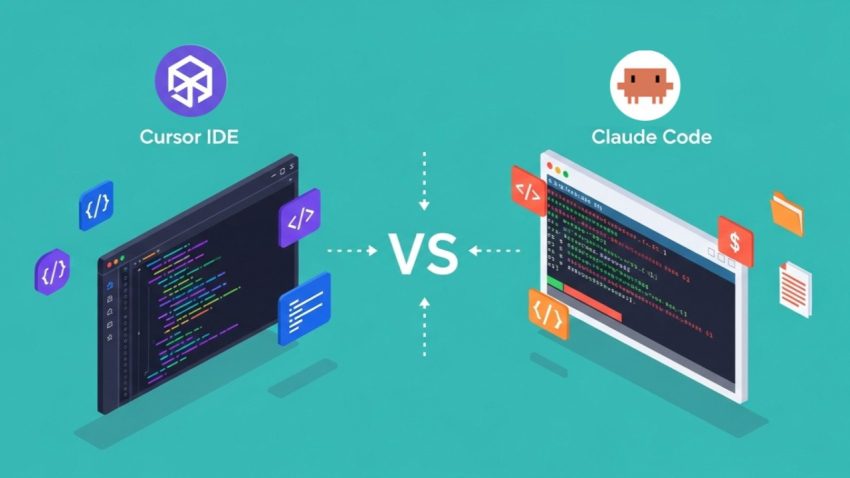
Both Cursor and Claude Code represent cutting-edge AI engineering, but they serve fundamentally different interaction models and philosophy paradigms.
-
Cursor is an AI-native GUI Editor (a fork of VS Code) optimized for real-time human-in-the-loop pairing, visual diffs, and rapid inline iterations.
-
Claude Code is an Agentic Command-Line Interface (CLI) tool built to act as an autonomous pair programmer that executes complex, multi-file tasks end-to-end directly inside your terminal.
Key Comparison Matrix
| Feature / Criteria | Cursor | Claude Code |
| Interface | Full IDE (VS Code Fork) | Terminal / CLI native (npm/brew/curl install) |
| Primary Interaction | Inline completions (Tab), inline edits (Cmd+K), and chat sidebar |
Agentic goal-driven natural language commands in the shell |
| Model Selection | Multi-model (Claude 3.5/3.7, GPT-4o, Gemini, custom models) | Native Anthropic Claude models (Claude 3.7 Sonnet / Opus) |
| Autonomy Level | Semi-autonomous (Suggests edits; human accepts/rejects inline diffs) | High autonomy (Reads codebase, edits files, runs bash commands, tests & lints) |
| Local Tool Execution | Can run terminal commands, but relies heavily on user confirmation/GUI workflows | Can execute tests, git operations, linter checks, and builds autonomously |
| Codebase Context | Local vector-indexing & @codebase retrieval |
Massive context window reasoning via whole-repo mapping & CLAUDE.md memory |
| Extensibility | VS Code extensions ecosystem | Model Context Protocol (MCP) servers, Unix CLI piping, and custom subagents |
| Pricing Model | Freemium ($20/mo Pro subscription) | Claude Pro/Max subscription or Anthropic API token-based consumption |
Deep Dive: Comparison across Full-Stack Web Layers
1. Frontend Development & Design Iteration
-
Cursor (Winner): Cursor is far superior for UI/UX development. Because frontend engineering relies heavily on visual verification, Cursor’s side-by-side diff view and instant preview integrations let you inspect DOM elements, apply inline CSS adjustments, and tweak React/Vue components with precision.
-
Claude Code: Handling frontend UI with a CLI can feel like blind coding. While it can write modern frontend code cleanly, you must manually run the development server (
npm run dev) and check the browser output yourself to verify visual styling.
READ ALSO: Top 10 Best AI Web Development Tools in the World
2. Backend Logic, Refactoring & System Architecture
-
Claude Code (Winner): Claude Code shines in multi-file backend tasks. If you ask it to “refactor the authentication middleware from JWT to OAuth2, update the user schema, update all endpoint handlers, and fix the broken routes,” Claude Code will navigate your repo, edit across dozens of files, run your unit tests (
npm test/pytest), read any stack trace errors, and iteratively fix them until the suite passes. -
Cursor: Cursor can perform multi-file edits (via composer/agent mode), but it requires more manual prompting and approval loops at each file level.
3. Database Migrations & DevOps/CI Automation
-
Claude Code (Winner): Built for the command line, Claude Code natively understands environment configs, Docker setups, and migration scripts. It can write a Prisma/Drizzle migration, run
npx prisma migrate dev, read the migration errors in the shell, and fix schema mismatches without human intervention. You can also pipe logs directly into it (tail -100 app.log | claude -p "Find the database lock error"). -
Cursor: Works well for drafting SQL schemas and Dockerfiles, but executing and debugging CLI commands requires navigating through its integrated terminal interface manually.
4. Developer Experience & Daily Workflow
-
Cursor: Perfect for “staying in flow.” If you are actively typing code, drafting new functions, or inspecting logic, Cursor provides micro-level AI assistance through autocomplete and inline transforms.
-
Claude Code: Built for “task delegation.” You give Claude Code a macro-level task, switch tabs to work on something else, and return when the terminal agent has finished editing, running tests, and staging Git commits.
The Verdict: How to Choose for Your Stack
-
Choose Cursor if: You prefer a visual, interactive coding experience inside a rich IDE. It is ideal for heavy frontend engineering (React, Next.js, Tailwind), quick bug fixes, and developers who want full visual control over every line of code before it gets committed.
-
Choose Claude Code if: You want a deeply autonomous agent that lives in your terminal. It is ideal for backend-heavy applications, large-scale code refactoring, complex test writing, and developers comfortable using CLI toolchains.
Pro-Tip: Many senior full-stack developers do not choose one over the other—they use both simultaneously. They keep Cursor open as their main code viewer/frontend editor while running
claude in Cursor’s embedded terminal to handle background refactoring, test fixes, and repository-wide tasks.